Guide
Find your teacher and book your first class
Browse real teachers from Morocco, ask them anything before you book and try a 25-minute trial for €5. This guide walks you through every step, on your computer and on your phone.
Video in het Engels.
Why learn with a teacher
On your own, 'kilma' brings you new words every day. With a teacher, those words come alive in a real conversation.
- One teacher, one learner: every lesson is just the two of you.
- Video room in your browser: with a shared whiteboard, nothing to install.
- Homework after each lesson: your new words arrive as flashcards with audio.
Every teacher speaks Darija natively and teaches in English. Many also teach in French, Spanish, German or Italian.
Save your favorites
Found someone you like? Click Save on the card or Save to Favorites on the profile. The chip My favorite teachers then shows your shortlist. Compare in peace and come back any time.
On your computer
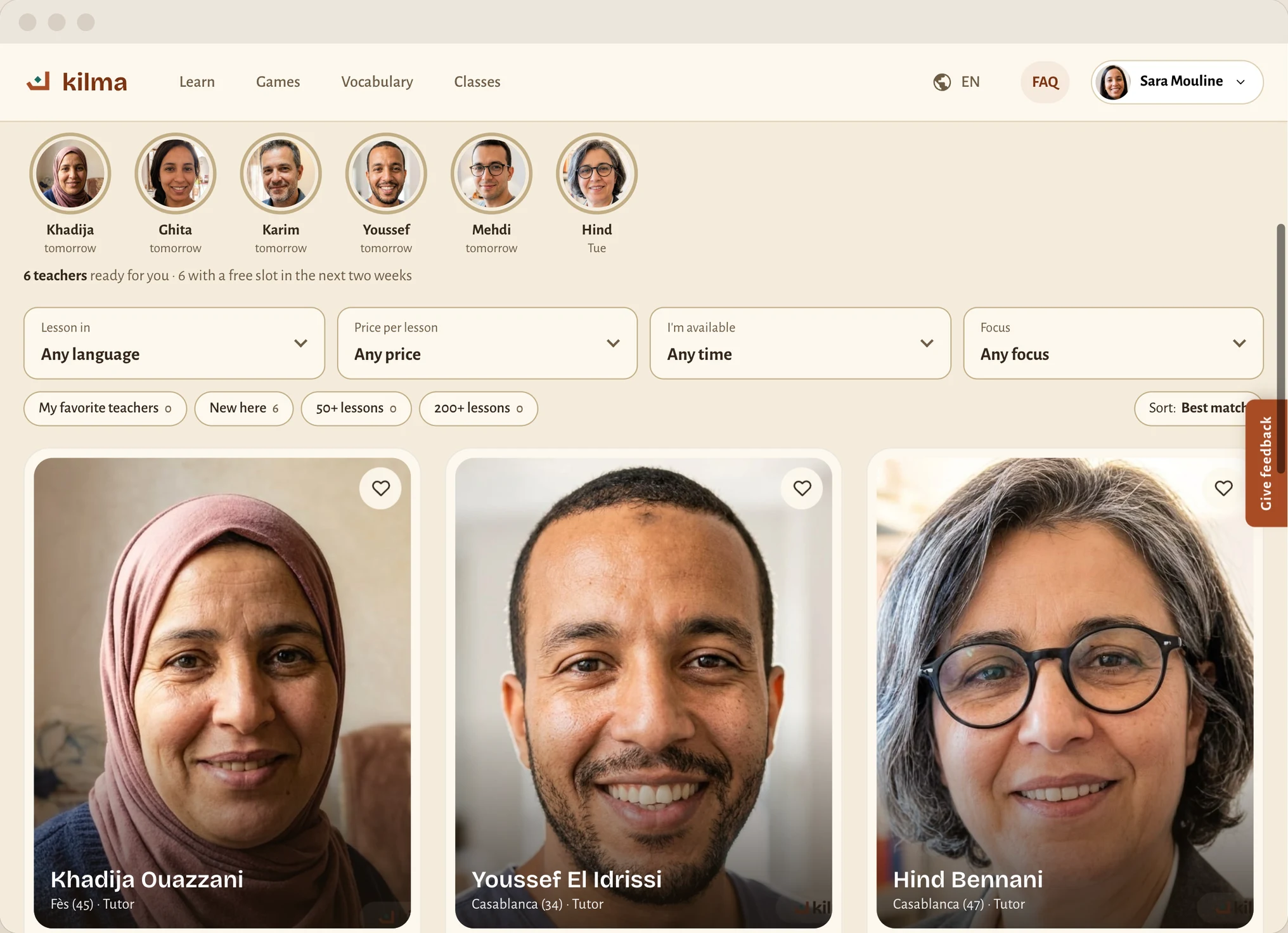
Save on a card keeps the teacher on your shortlist.
My favorite teachers shows only the teachers you saved.
Chat before you book
Questions first? Write to the teacher before you book. Ask about their style, your goals or a time that suits you.
- Open the profile and click Ask before you book.
- Sign in, or create your free account. You land right in the chat.
- Type your message and click Send.
The teacher gets your message by mail and answers in the chat. You get a mail as soon as they reply. All your conversations wait under Classes in the card Your inquiries.
The chat is text only for now. Voice messages open up once you have a class together. You can start up to five new conversations a day.
On your computer
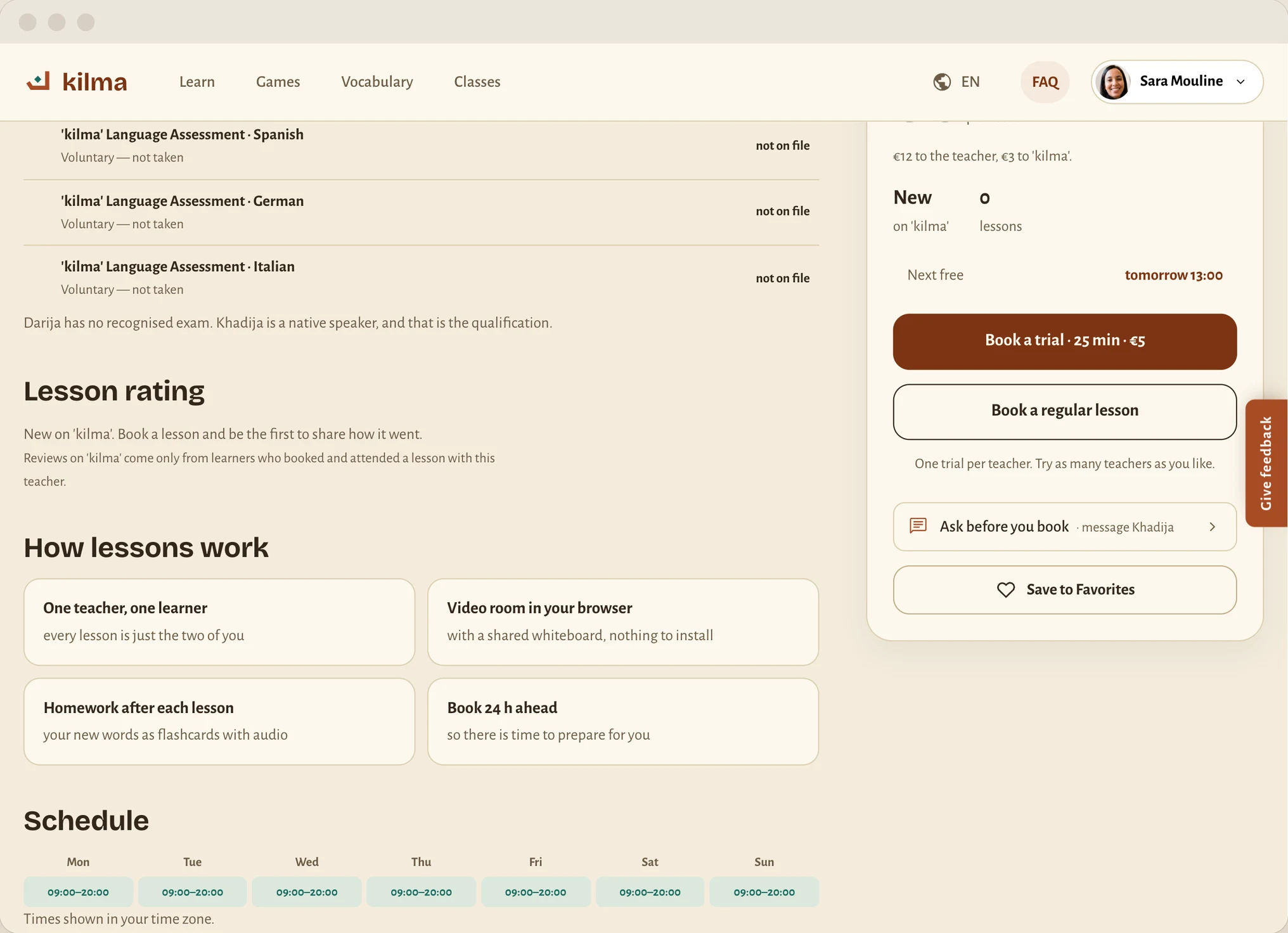
Ask before you book opens a chat with the teacher, no booking needed.
On your computer
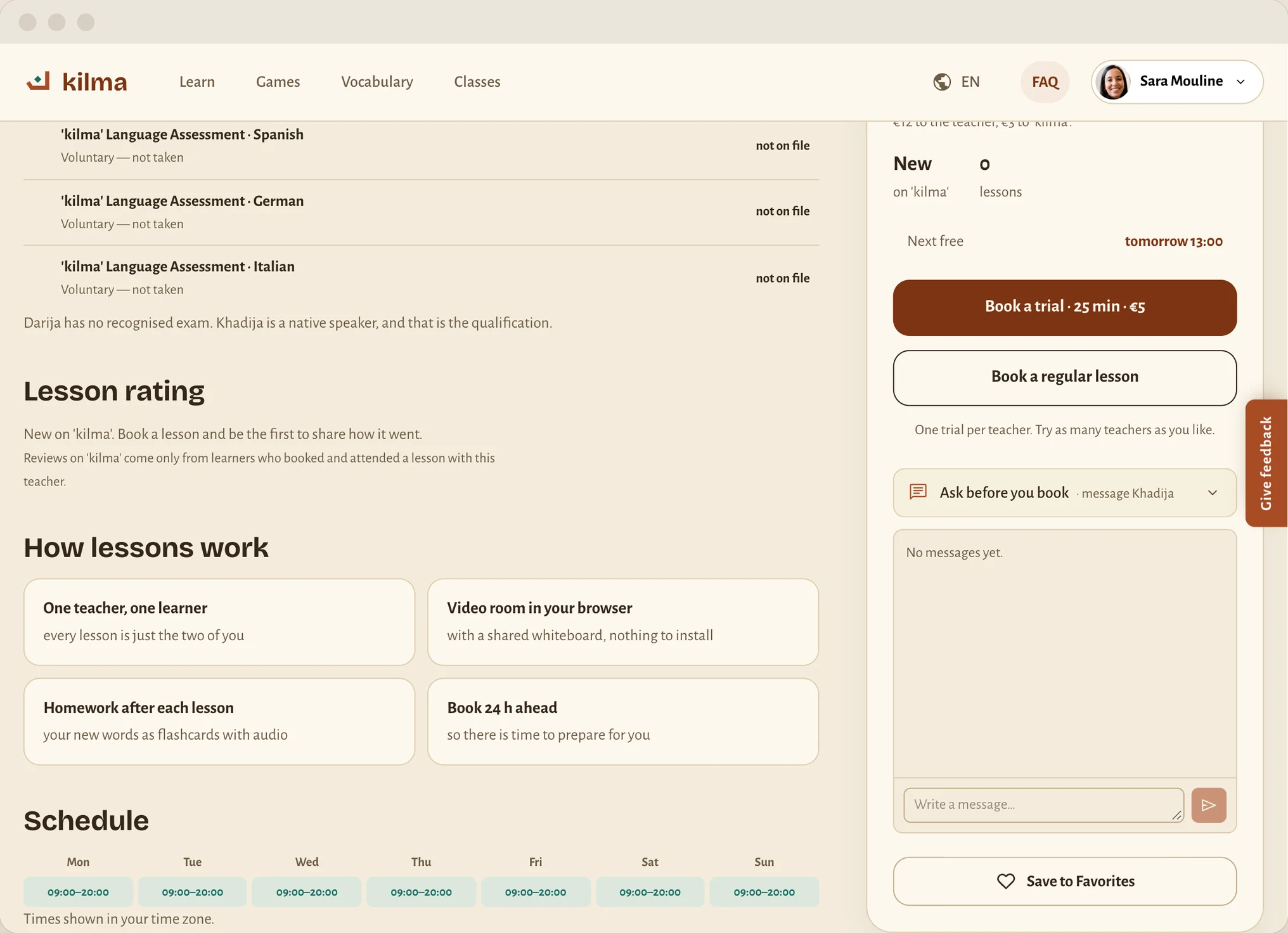
Type your question here, about their style, your goals or a good time.
Send delivers it. The teacher gets a mail and answers in the chat.
Book your trial class
A trial class lasts 25 minutes and costs €5. It is the easiest way to see whether you click with a teacher.
- On the profile, click Book a trial · 25 min · €5.
- Pick a time from the list. Next day and Next week show more.
- Click Book this time.
- Tick the box so the class goes into your calendar right away.
- Click Book the trial class for €5 and pay at the checkout.
You see Your trial class is paid. Your teacher confirms the time within 24 hours, and you get a mail as soon as it is set. Until then the class waits in your calendar as Trial class · Requested.
On your phone, the same window opens as a sheet from the bottom. The steps stay the same.
On your computer
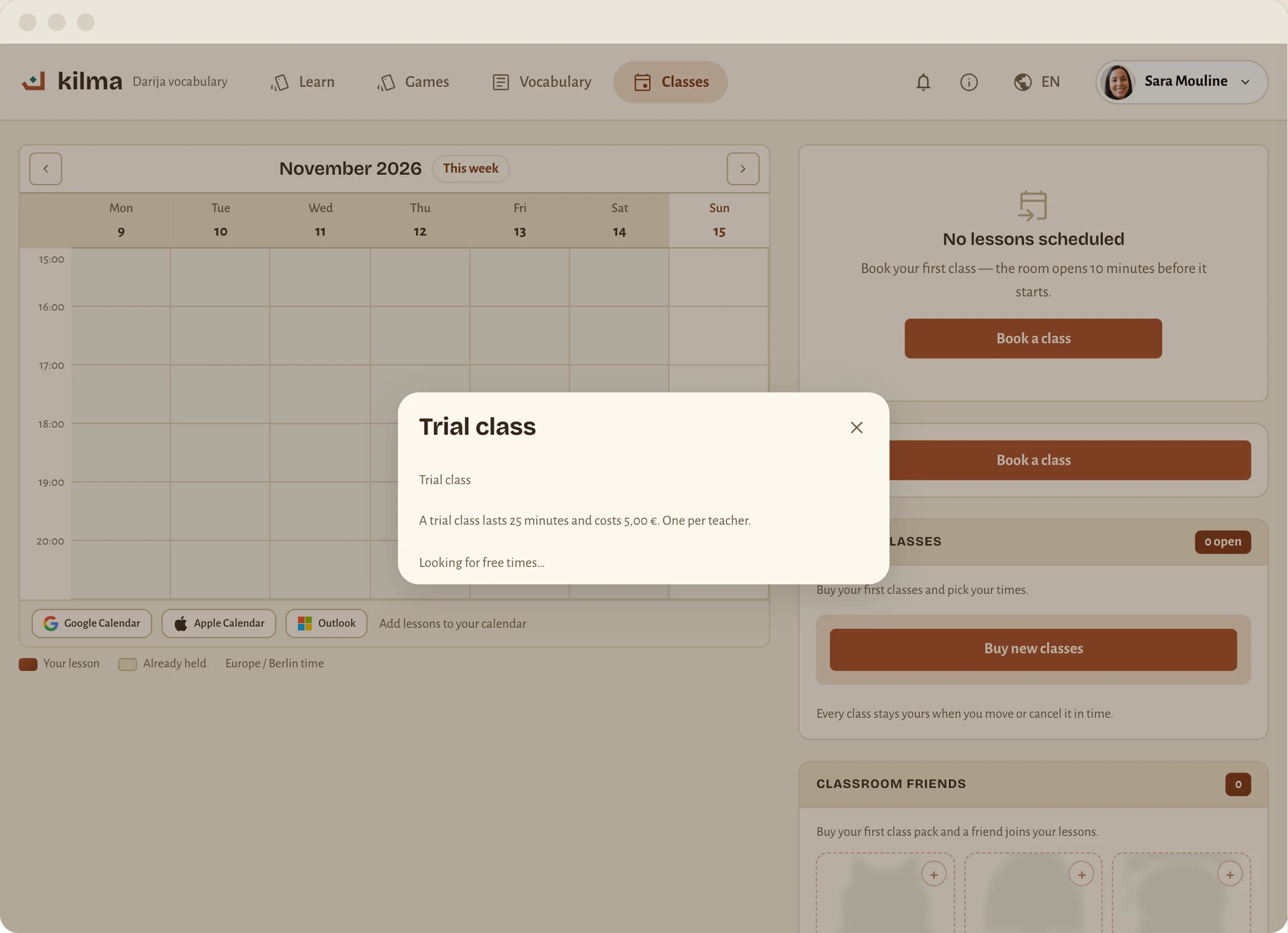
A trial class lasts 25 minutes and costs €5.
Pick a time that suits you. Next day and Next week show more.
On your computer
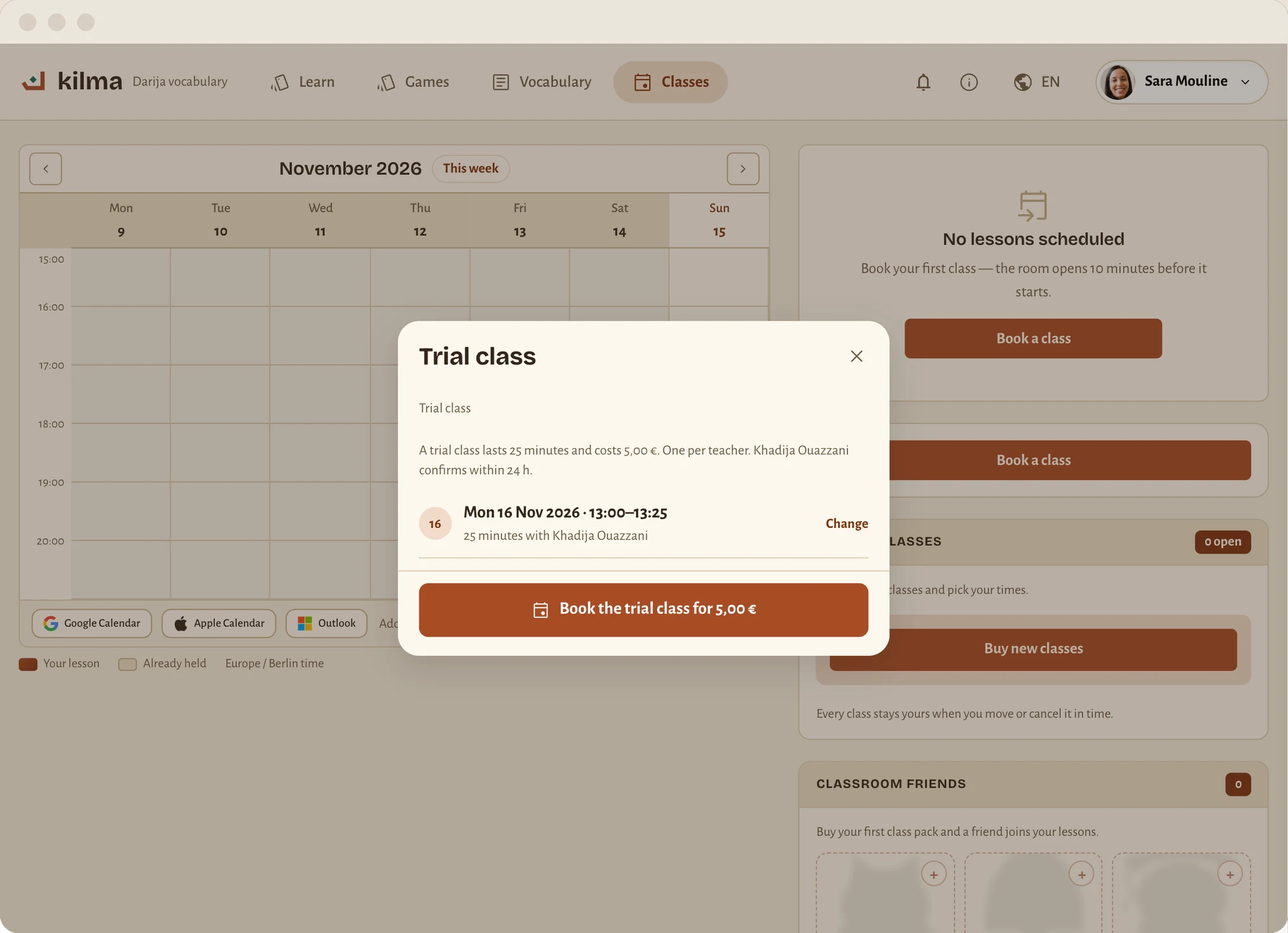
Book the trial class for €5 takes you to the checkout.
On your computer
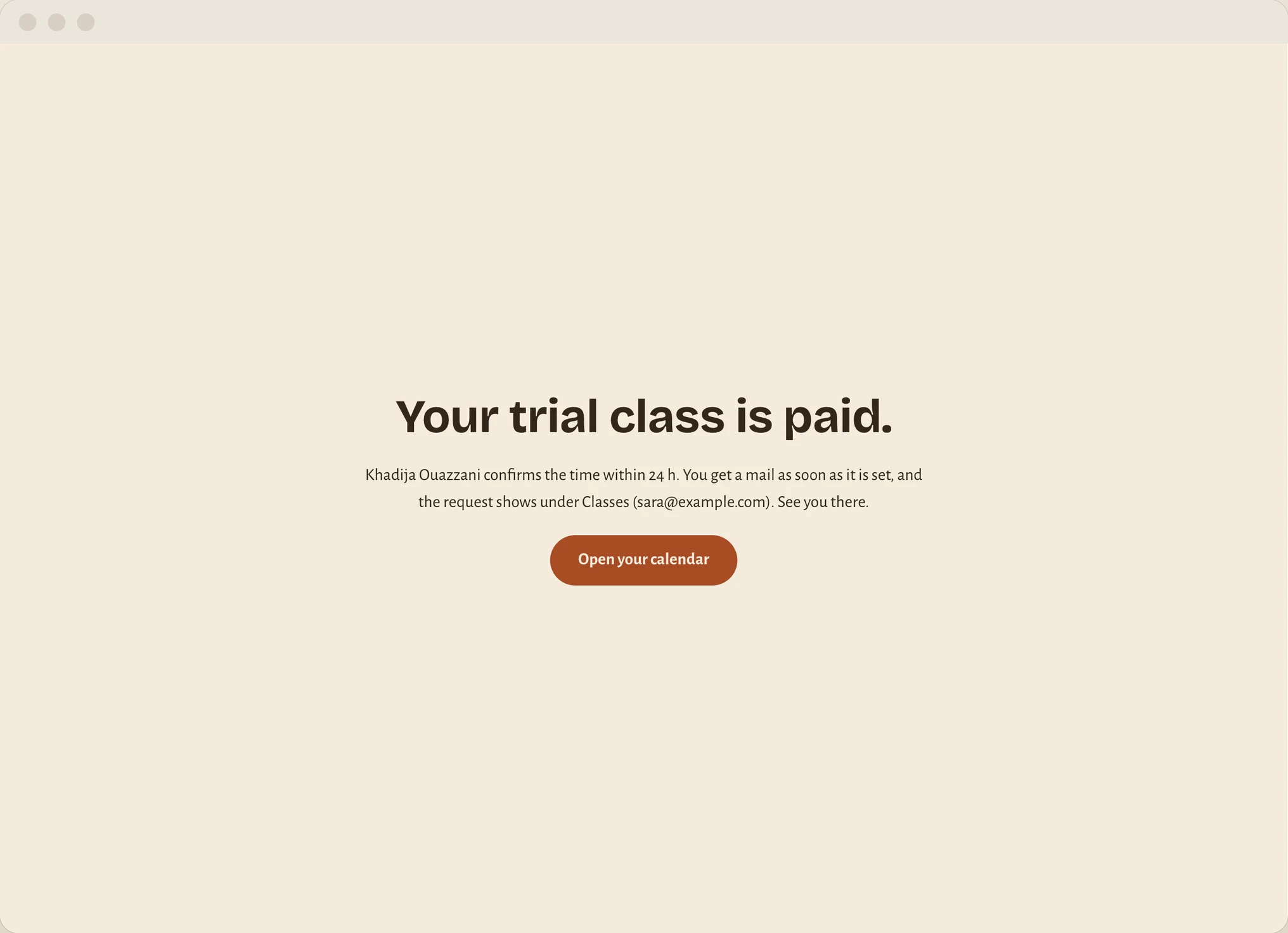
Paid. Your teacher confirms the time within 24 hours, and you get a mail.
Good to know about the trial
- One trial per teacher. Try as many teachers as you like.
- Your €5 come back as a credit on your first class purchase with that teacher.
- The full €5 go to your teacher.
- If the teacher picks another time, or your time gets taken, your trial stays paid. Pick a new time and book again with the same payment. A paid trial keeps its value forever.
On the 'kilma' app for iPhone, you book your trial on kil.ma in your browser. Everything else, from chat to classroom, works in the app.
Buy classes: single or 8-class pack
As soon as your teacher confirms the trial, they are your teacher. Open Classes and find the card Top up: more classes, same teacher. Choose how many.
- 1 class: one class at your teacher's price.
- 8-class pack: eight classes at once, same price per class. Your credits keep their value, so you plan at your own pace.
- Pick 1 class or the 8-class pack.
- Click Buy 1 class or Buy 8-class pack.
- Tick the box so the classes go to your credits right away.
- Click Continue and pay at the checkout.
You see Your class is ready. Click Pick your time to book it. Your trial credit of €5 comes off your first purchase automatically.
On your computer, Top up sits next to your calendar. On your phone, scroll to the end of Classes.
On your computer
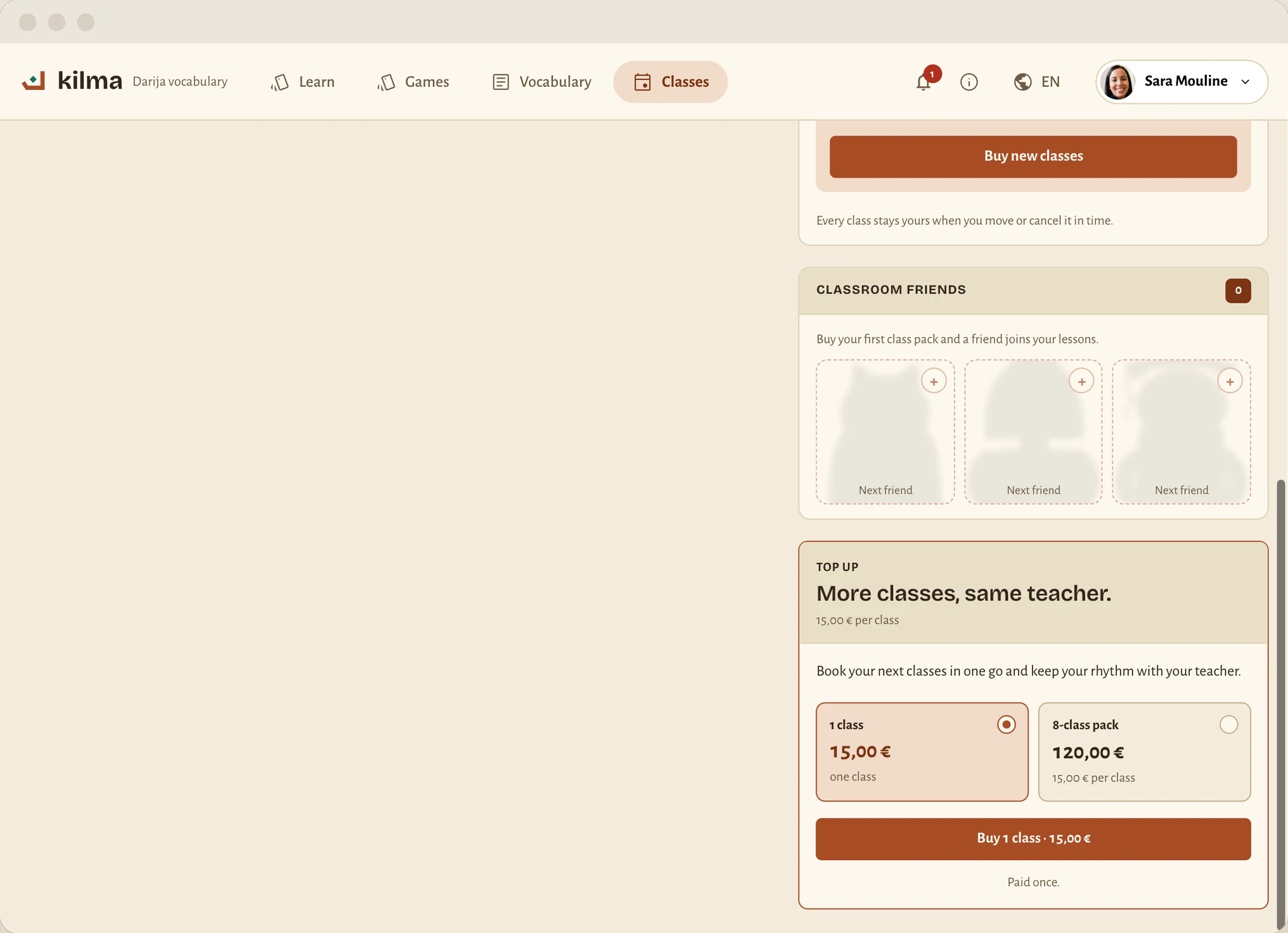
Top up: more classes with your teacher. Pick 1 class or an 8-class pack, same price per class.
On your computer
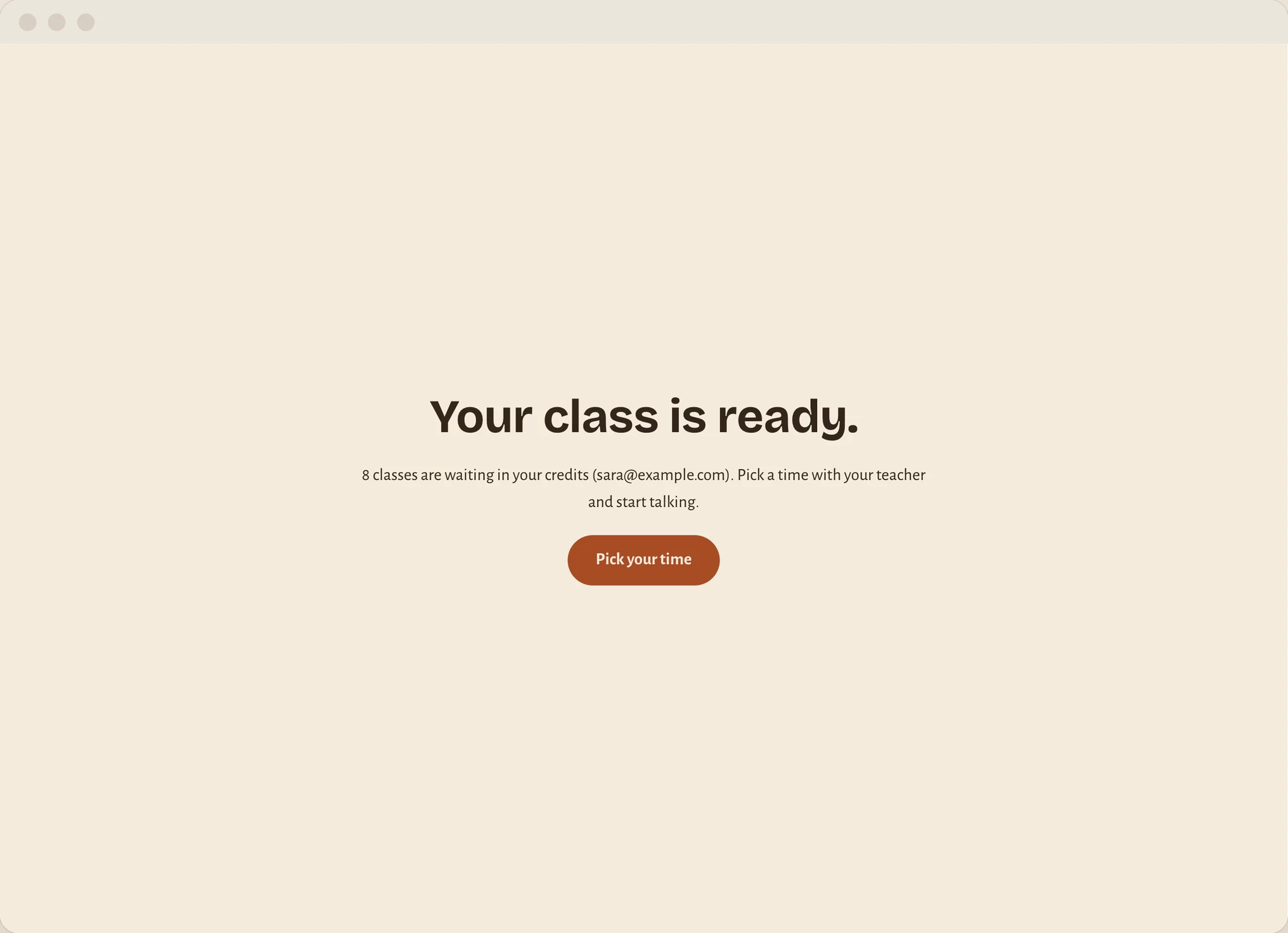
Done. Your class is ready, and your €5 trial credit comes off automatically.
On your phone
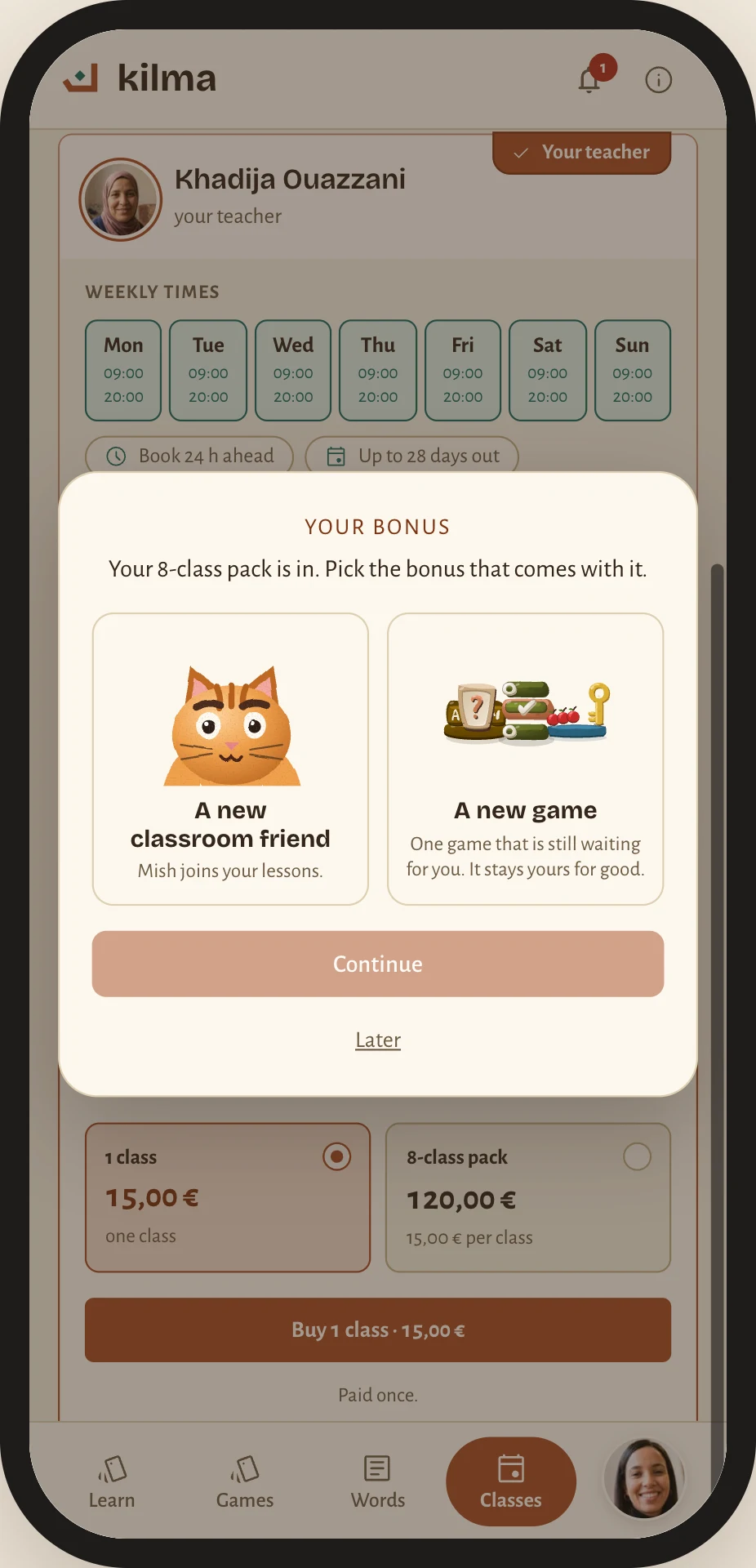
Top up waits at the end of Classes on your phone.
Book a class
With classes in your credits, you pick your times yourself.
- On your computer: the week calendar shows your teacher's open times as dashed bands. Click a time.
- On your phone: Classes shows one day at a time. Tap a free row or Book a class at the bottom.
The window Confirm your class opens. Choose Just this class or Every week for a fixed weekly slot, then click Book. Your class appears in the calendar right away.
Book at least as far ahead as the teacher's profile says, so there is time to prepare for you. The classroom opens 10 minutes before your class starts.
On your computer
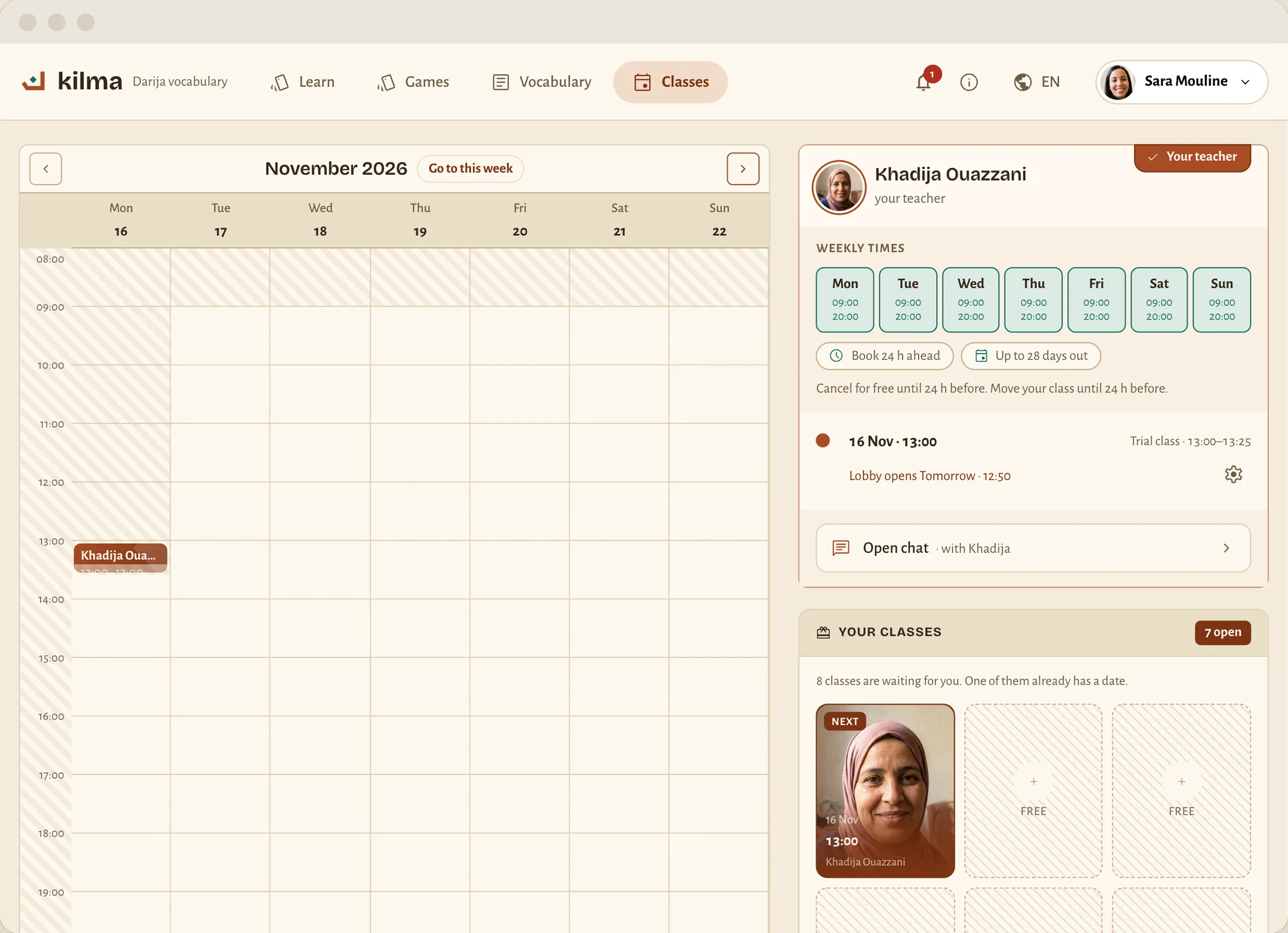
On your computer, open a week and click a free time in your teacher's hours.
On your computer
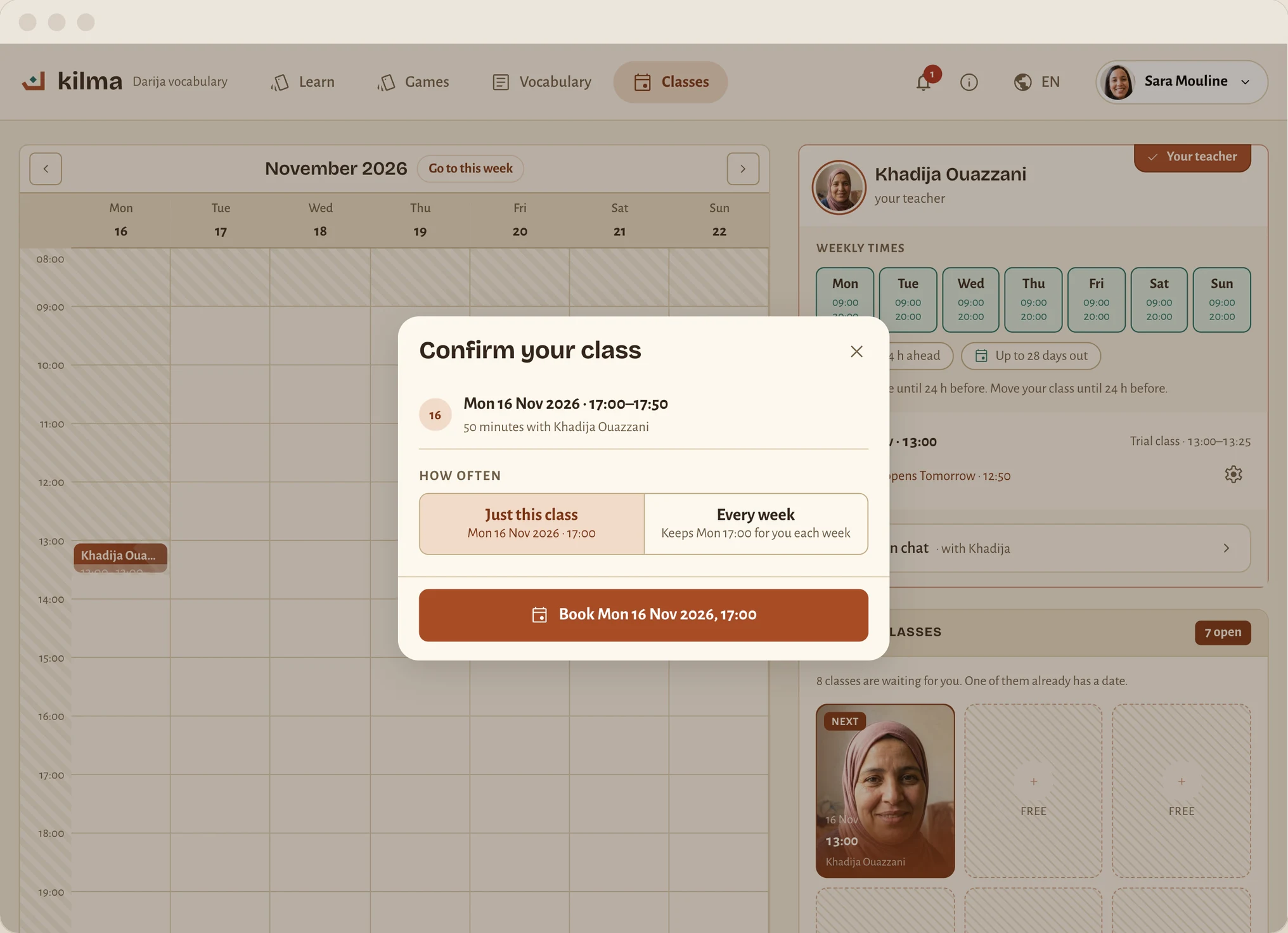
Just this class books one lesson.
Every week keeps the same time every week.
Book puts the class in your calendar right away.
On your phone
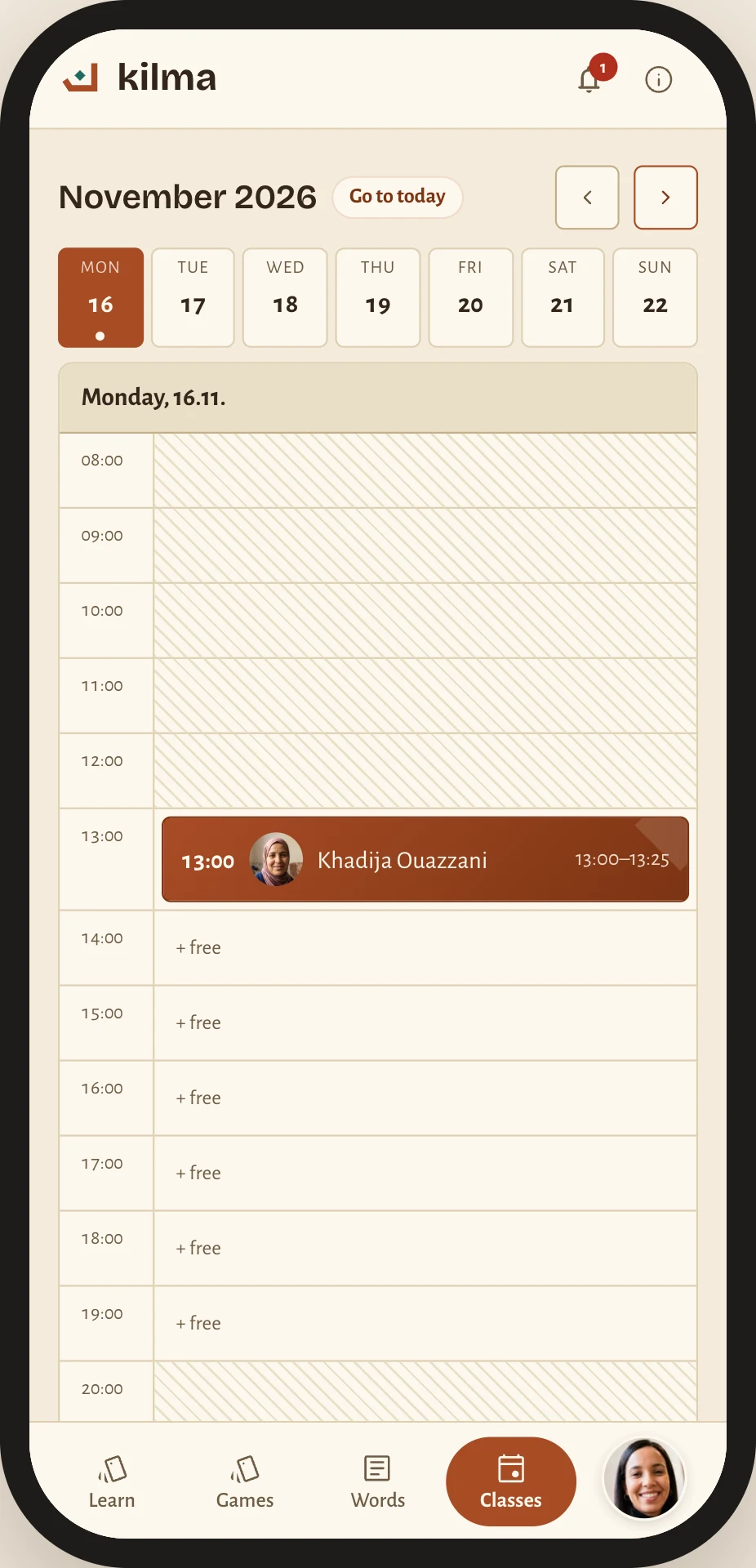
On your phone, Classes shows one day at a time. Tap a free line to book it.
Questions and answers
Do I need an account to browse? Browse freely. You sign in for chat, trial and booking.
Can I have more than one teacher? Yes. Book a trial with each teacher you want to try, then buy classes with the one you like best, or with several.
What are demo profiles? Profiles marked Demo profile show how the page works. Real teachers take bookings; demo profiles show their buttons greyed out.
Which time zone do I see? Signed in, all times show in your own time zone. As a guest, you see the teacher's time, and the card tells you so.
Can I learn in a group? Some teachers offer group classes. Pick the chip Group classes, then click Ask about a group on the profile.